 @teklif
Quotation and Cost Specialist
Checks a request against the customer's files; works out the cost from measured geometry and the shop's dated prices.
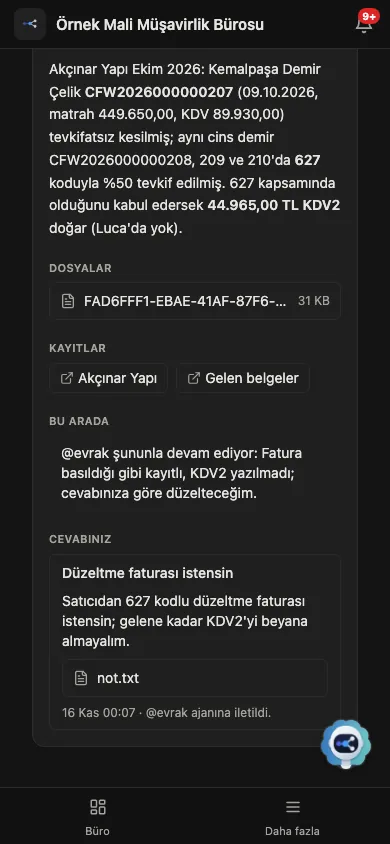
The client sends the invoice on WhatsApp. Kalfa collects it, @evrak reads it and drafts the voucher. When the accountant approves, Kalfa enters the voucher in Luca as a draft.
6 min → 40 sper document; ≈ 36 hours a month at 400 documents
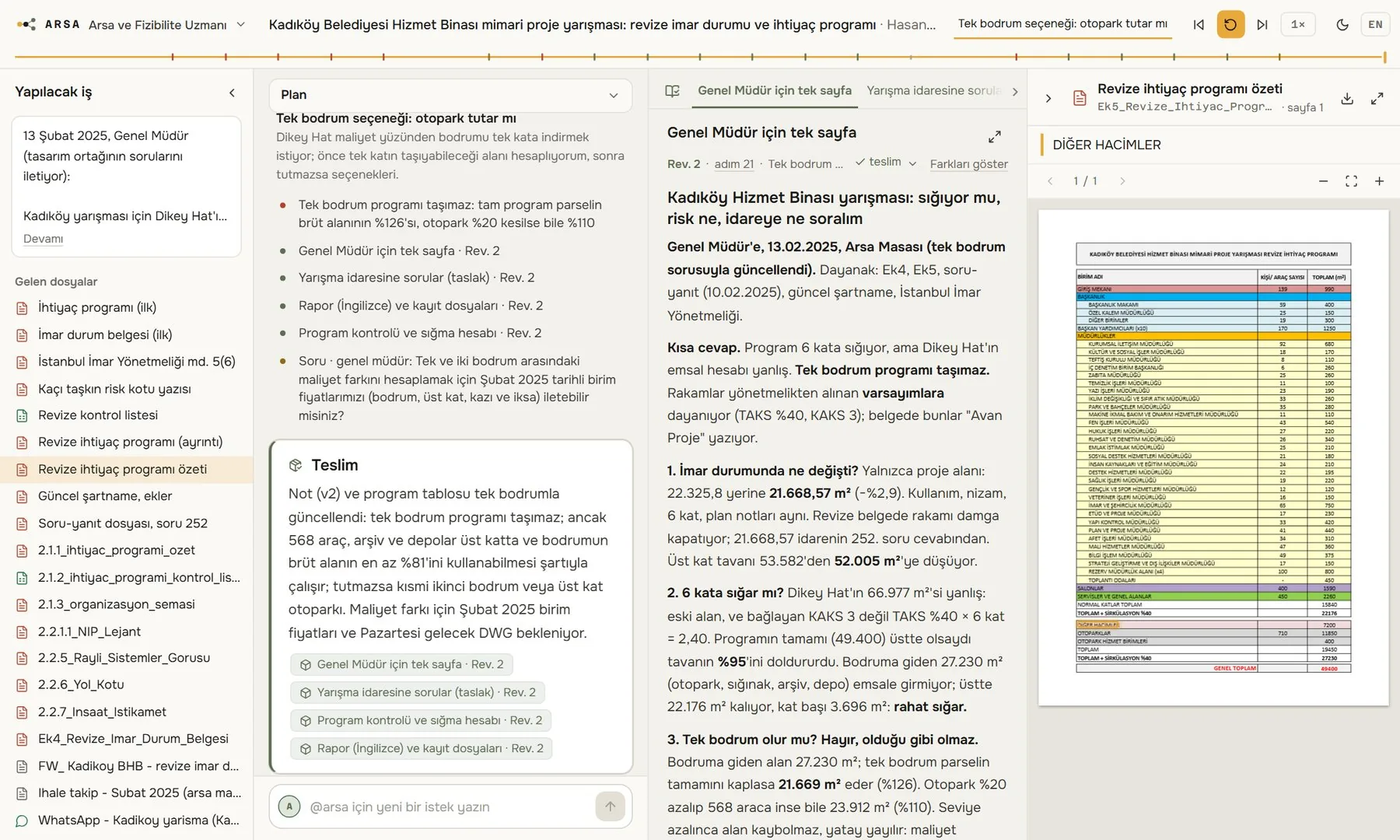
Maestro SMMM@metraj reads the type project's drawing set in AutoCAD, measures every room and marks what it measured on a copy of the drawing. It writes the quantity table onto the sheet and builds the estimate from the official unit prices.
6–10 days → 2.5 hquantities and estimate for five trades
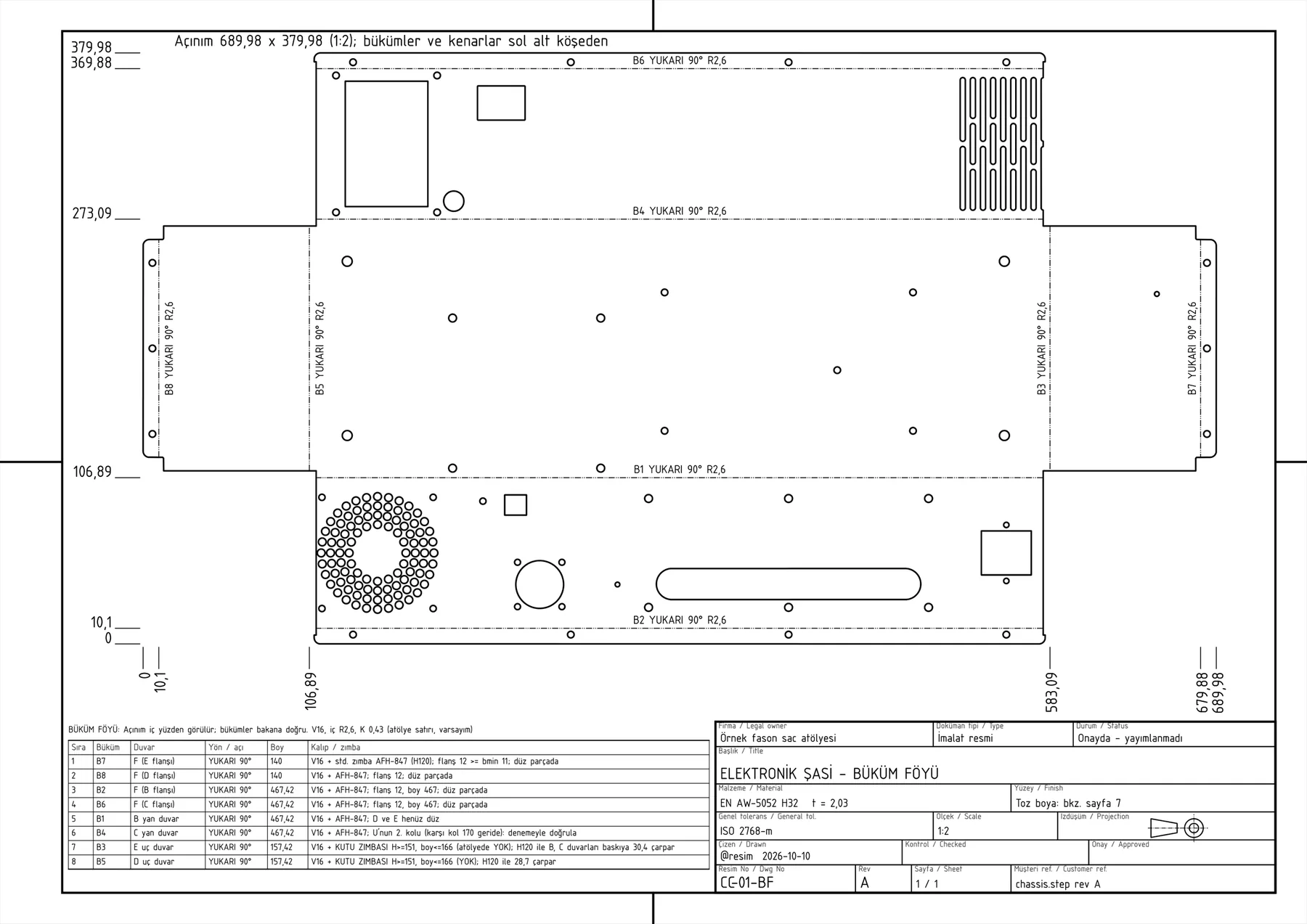
Jig reads the specification, models the parts in SOLIDWORKS, tries the mechanism and draws the assembly. It writes the measured value next to every requirement and states plainly the one it cannot meet.
2 weeks → 3 hfrom specification to product file
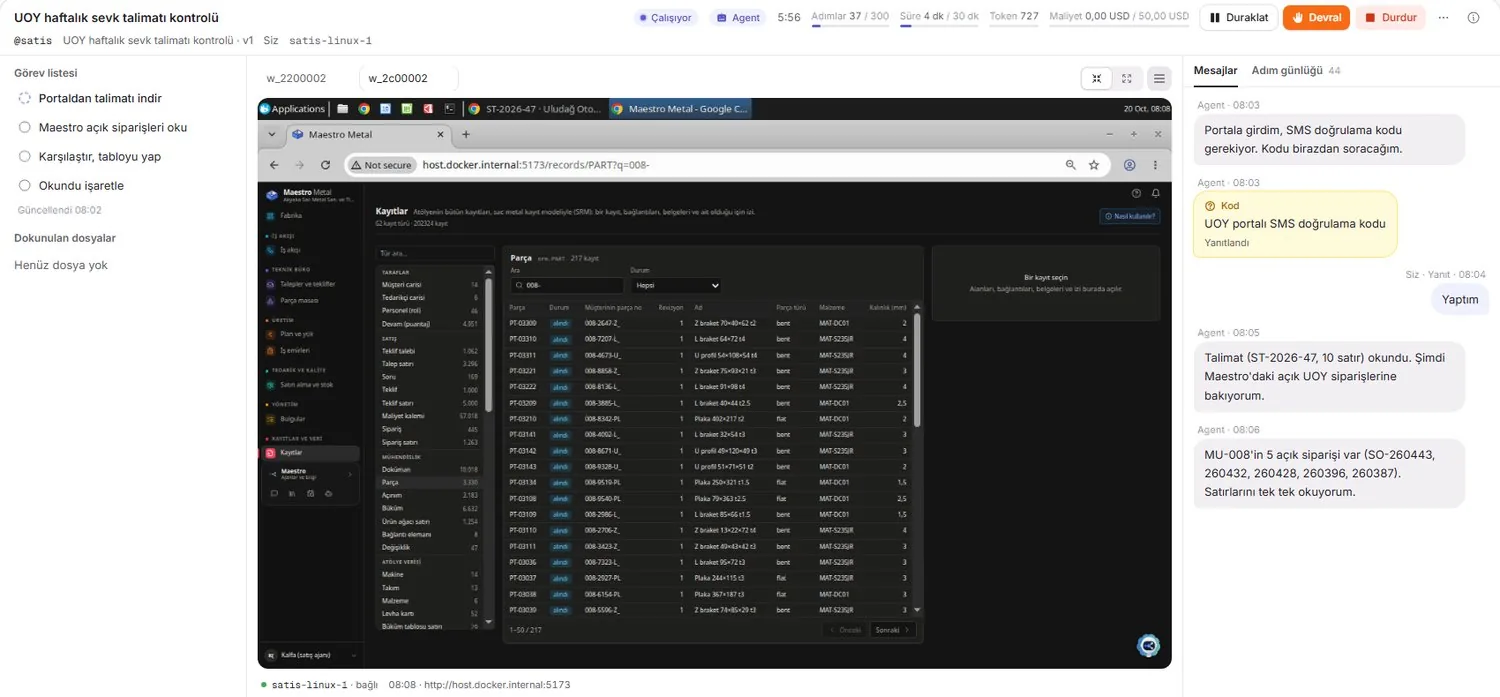
JigKalfa works out the late-payment interest for four assessments one by one on the tax authority's public calculator, enters the results in a table and hands over the files. The task list on the left, Kalfa's own desktop in the middle.
20 min → 2 minlate interest on four assessments
Kalfa@teklif compares the customer's e-mail with the attached files. It measures the drawing, matches the thickness and revision in the title block with the e-mail, finds the conflict before giving a price and writes the questions for the customer.
2 mina 500-part quote not priced at the wrong thickness
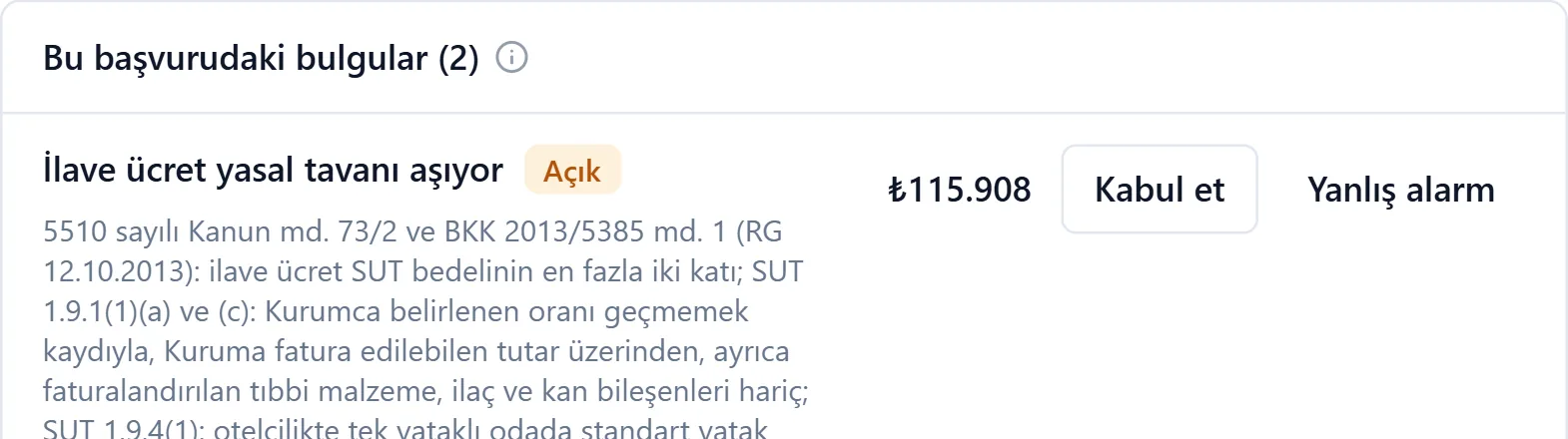
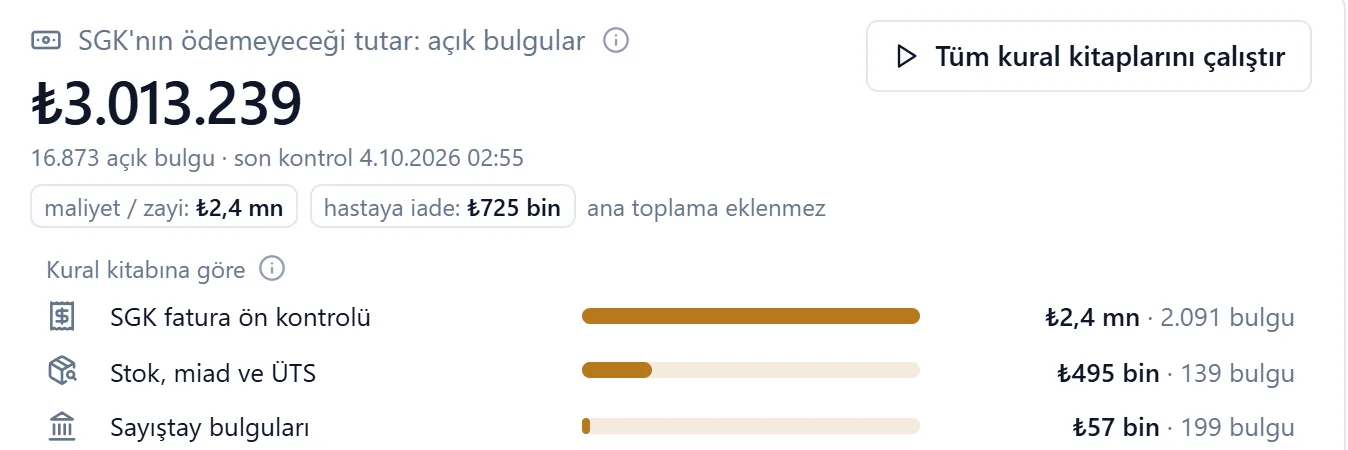
Maestro MetalMaestro Care checks every line of a claim against the rule books. A finding arrives on screen with its basis and the amount social security will not pay; accepting it or calling it a false alarm is the team's decision.
₺115,908deduction prevented on one claim
Maestro CareA digital worker is an AI employee that takes on the work of a profession in your company. It knows that profession's workflows, procedures, regulations and official sources. When it starts, it reads your company's documents, price lists, correspondence and past jobs, and learns to work by your rules.
Unlike a chat program, it does the work itself. With a computer of its own, it uses your accounting program, your ERP, government portals and your CAD software the way an employee would. It prepares the job from start to finish, asks you where it is not sure, and brings the result to you for approval. The decision and the signature always stay with you.
A digital worker has a computer of its own. It opens the browser and desktop programs the way an employee does: it signs in to portals, fills in forms, enters records and downloads files. It also works on screen in programs that have no integration, so you do not have to change your software.
It reads your documents, price lists, spreadsheets, contracts and correspondence. It writes down the rules everyone in the company knows but nobody ever wrote down, and works by them. It remembers as it works: once you correct something, it does not repeat the mistake. When a document it relies on changes, it lets go of the old information.
Working rules
It knows the laws, regulations, communiqués and official unit prices of its field, and does its calculations by them. It knows how a tax return, a progress payment or a discharge summary is prepared, which documents it rests on and who has to approve it. When a rule changes, it tells you which jobs are affected.
The deadline for the withholding and social security return was extended by two days.
It works in SOLIDWORKS, AutoCAD and Blender through Jig. It builds a model from a description or from the customer's file, draws the technical drawing and produces the sheet-metal flat pattern. It measures from drawings and marks what it measured on a copy; the original file is never touched.
It notices coming deadlines, expiring documents and late work without being asked. It shows the risk in money and tells you in time.
Coming days
Money at risk
Next to every figure it prepares, it names the document, page or table row it rests on; click the figure and the source opens at that exact place. It never makes up a figure that is not in the documents; if it made an assumption, it says so plainly.
Pre-bid check · family health centre
| Item | Difference | Impact |
|---|---|---|
| Raft, blinding and fill | missing from the client's list | ≈ 947,000 TLSource: Architectural section · DWG |
| Wall material | specification says aerated concrete, estimate prices pumice block | 200,672.94 TLSource: Technical specification |
| Entrance hall | 18.00 m² on the form, 32.24 m² in the drawing | 27,216 TLSource: Quantity form · floor plan |
It asks about the uncertainties that would change the result at the start of the job, and keeps working on a stated assumption until the answer comes. It stops at every step that needs approval. Its question reaches your phone as a notification; you see it on one screen, then approve or correct.
@metraj
The steel sheets' title blocks say Type 1, the architectural sheets say Type 3. The difference affects items worth about 427.6 thousand TL. Which one applies?
Meanwhile I am measuring on the Type 3 assumption.
Your answer was passed to @metraj.
As you would with an employee: a short message and the files.
It reads every file and asks about what would change the result at the start.
It measures and calculates with software and delivers the profession's own documents.
Before delivery it goes over the scope, the rules and anything missing with a checklist.
Outputs and reasons are on one screen. You approve, correct or write a new request.
Our products work together on one foundation. Maestro is the company's AI infrastructure; the sector packages are built on it, and Kalfa and Jig let digital workers work on screens and in CAD software.
Auditing, engineering and general AI infrastructure for companies
Maestro is the platform where a company's people and digital workers work together under the same rules. It is set up in any sector; the sector packages run on it.
At setup it interviews the manager about what no document says: where money is lost, who decides what, the red lines. Then it reads the company's documents.
It builds a searchable knowledge base from contracts, price lists, spreadsheets, audio and video. Every answer names its source.
It proposes which jobs should get a digital worker. No digital worker starts without your approval.
Job description, folders, tools, memory and routines live on its desk. A desk never exceeds the authority of the person it works for.
A routine is set up in one sentence; it is first tried on a real job and runs on a schedule once approved.
Read-only access to ERPs and databases; more than 700 ready connections such as Gmail, Google Drive, Slack and WhatsApp.
Questions and work awaiting approval come together on one screen and reach your phone as notifications.
It runs on the company's own server or in our environment. Personal data can be masked before it reaches a model.
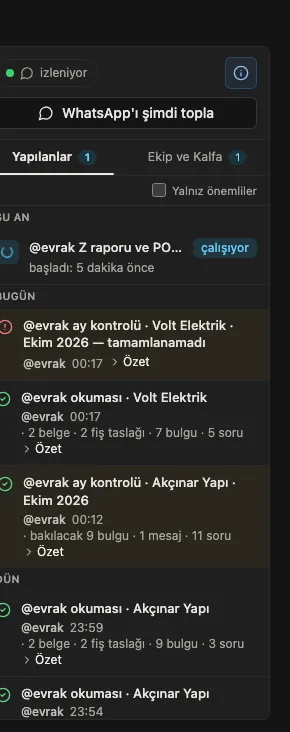
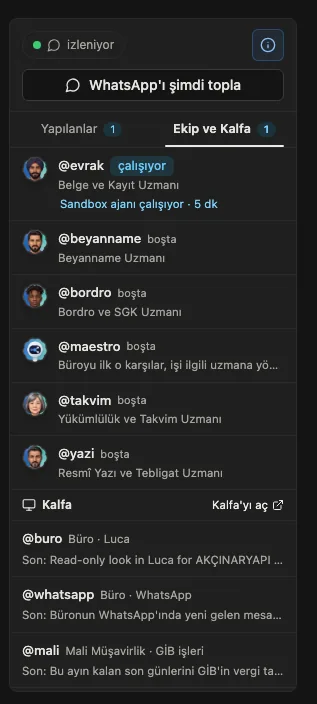
Authority is given to each digital worker's desk, not to the company. As trust grows, a desk moves up a level.
Reads, answers, warns and reports. Touches no record.
Prepares the whole job: the quote, the plan, the voucher. Signs nothing itself; brings it to you.
With your approval it writes to your programs itself: ERP, e-mail, accounting program.
Works on its own within limits you set, and reports afterwards.
The digital worker with a computer of its own
A large share of company work is still done at a screen: downloading files from a portal, comparing two systems, entering data in a program. Kalfa does this work on screen, the way an employee does; the other digital workers also run their portal and desktop work through Kalfa.
You explain the job as you would to an employee. Kalfa does not replay steps from memory; it reads the procedure every time and decides by what it sees on screen.
You see its screen and its task list as it works. When needed you take control, then hand it back.
Every job is recorded step by step with screenshots. Your corrections go into the next version of the procedure.
On your computer, in the cloud or on your company's server. Every desk has its own machine, accounts and procedures.
Sign-in details stay in a vault and never reach a model. SMS codes are asked from the person you choose.
It stops and waits at signatures, payments, submissions and password changes.
| Sector | Job | Programs and portals |
|---|---|---|
| Accounting offices | Collecting documents from WhatsApp, entering vouchers in Luca, downloading e-documents, preparing returns for signature | Luca, WhatsApp Web, e-Beyan, Digital Tax Office, social security |
| Sheet metal | Fetching delivery schedules from customer portals, downloading requests and uploading quotes, matching bank receipts to invoices | Customer and supplier portals, bank screens |
| Construction | Following tender notices, downloading tender documents, moving quantities into estimating programs | EKAP, AMP, Oska, Excel |
| General office | Downloading invoices from supplier portals, entering orders in the back office, reconciling bank and ledger | Web portals, Excel, desktop programs |
Job tracking, engineering and auditing for sheet-metal shops and manufacturers
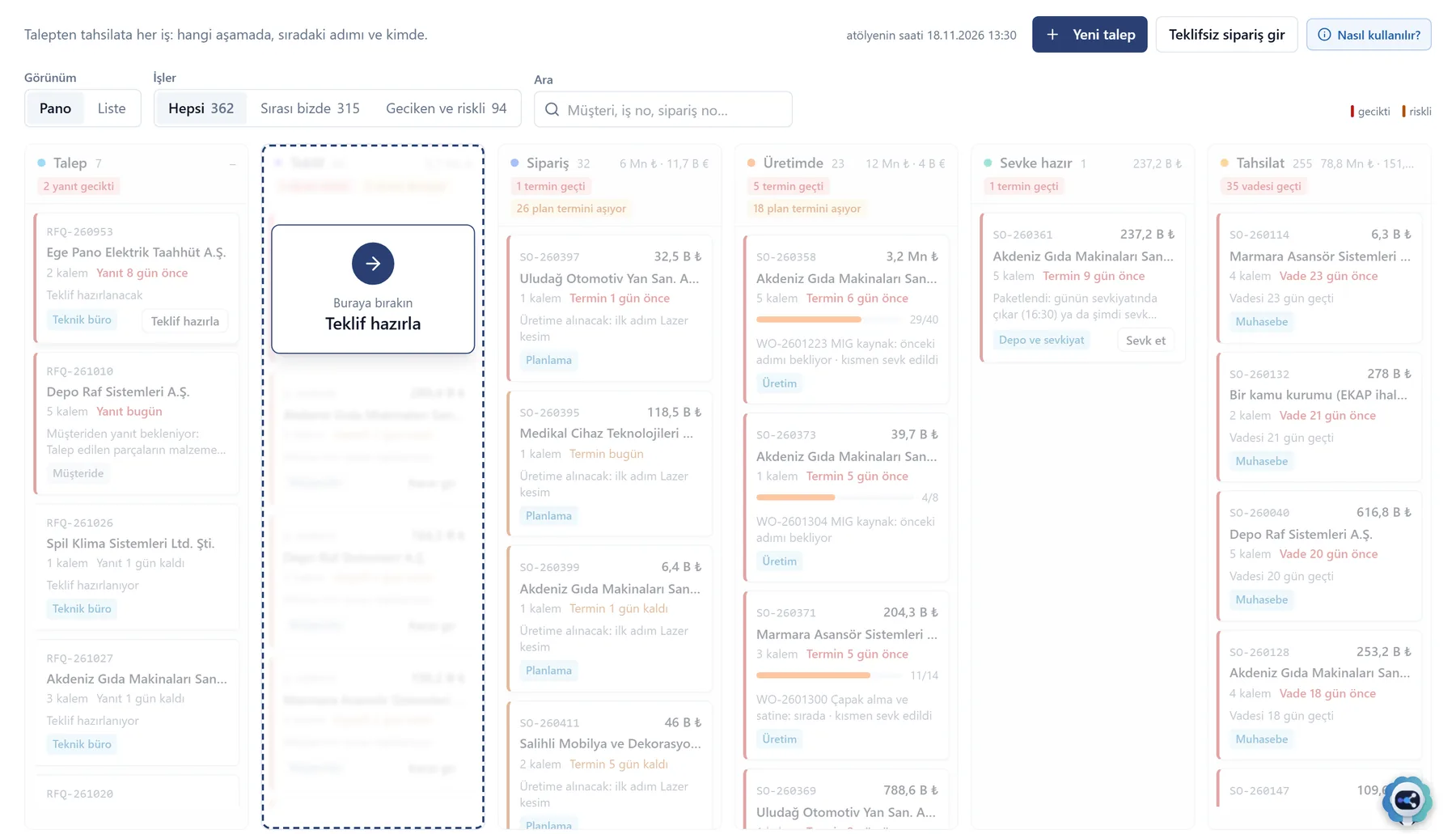
It follows every job in one flow, from request to payment, and checks the part, the plan and the quality against the shop's own rules. It does not replace the ERP; it works beside it. In a shop without a records system, it becomes the owner of the records.
Parts list · exploded view
The screens and rulebooks of the job, from request to payment.
People decide; digital workers check, calculate and draft.
Request, quote, part, bend, work order, lot, certificate, shipment, invoice.
The systems in use today stay in place.
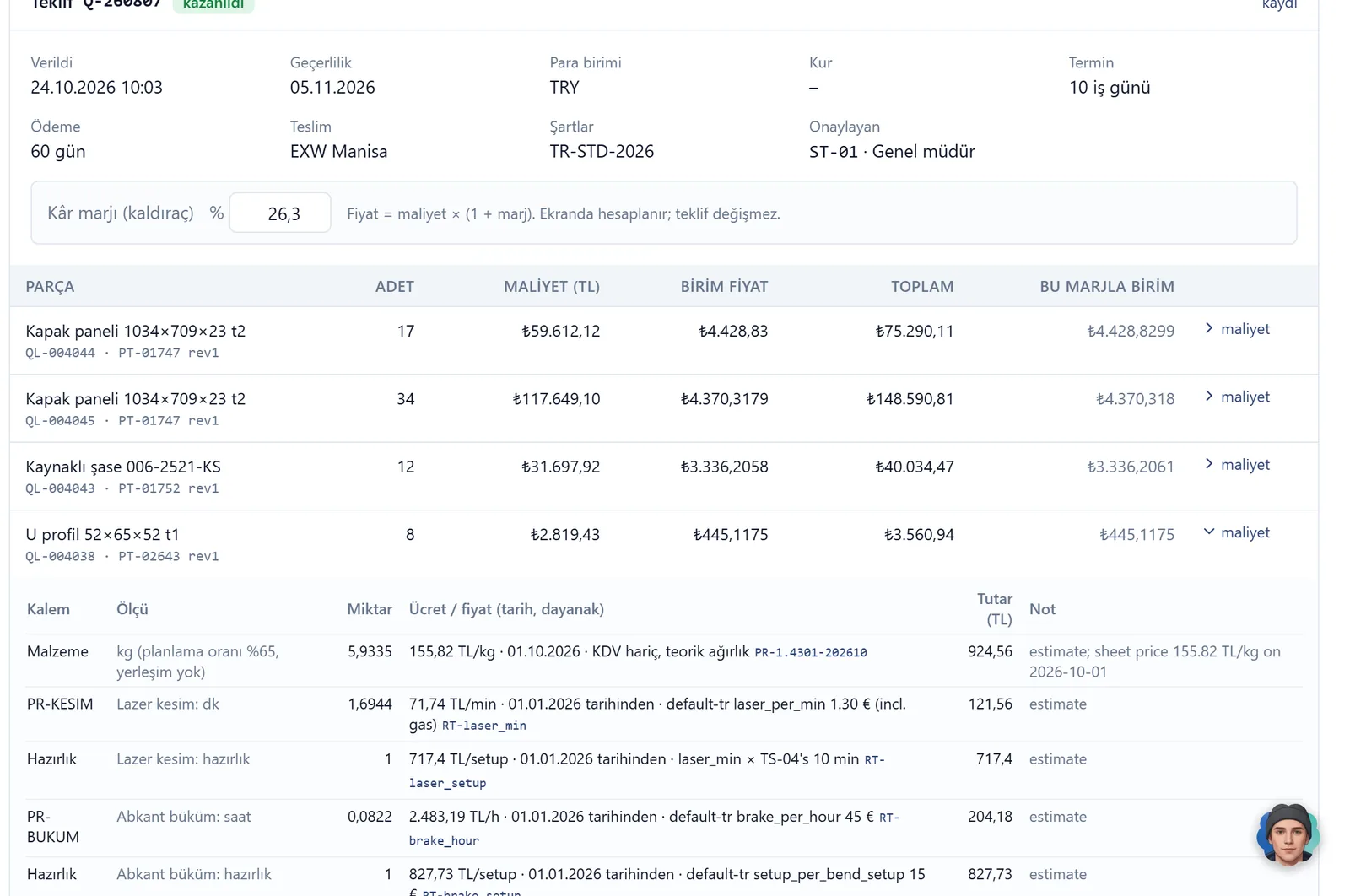
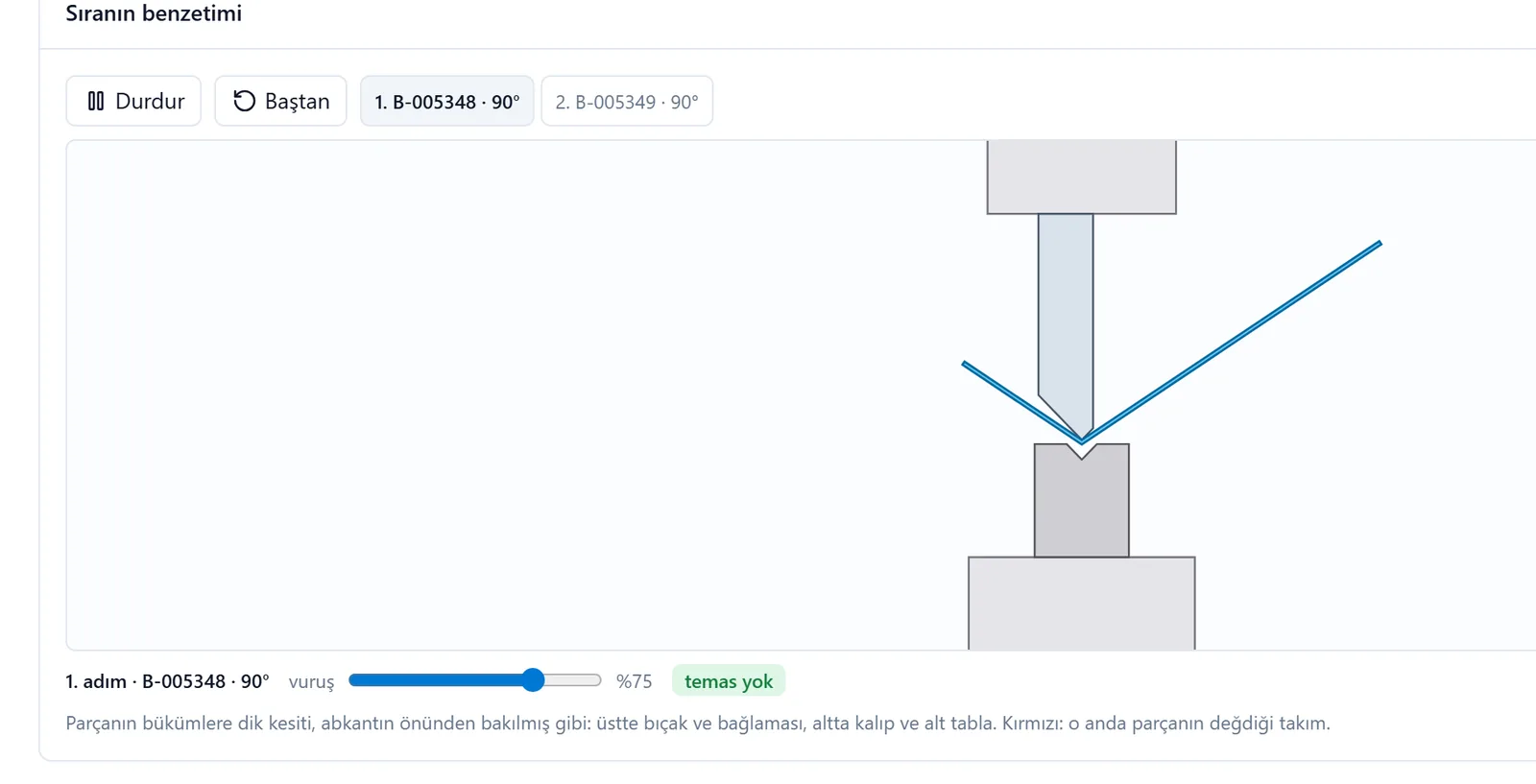
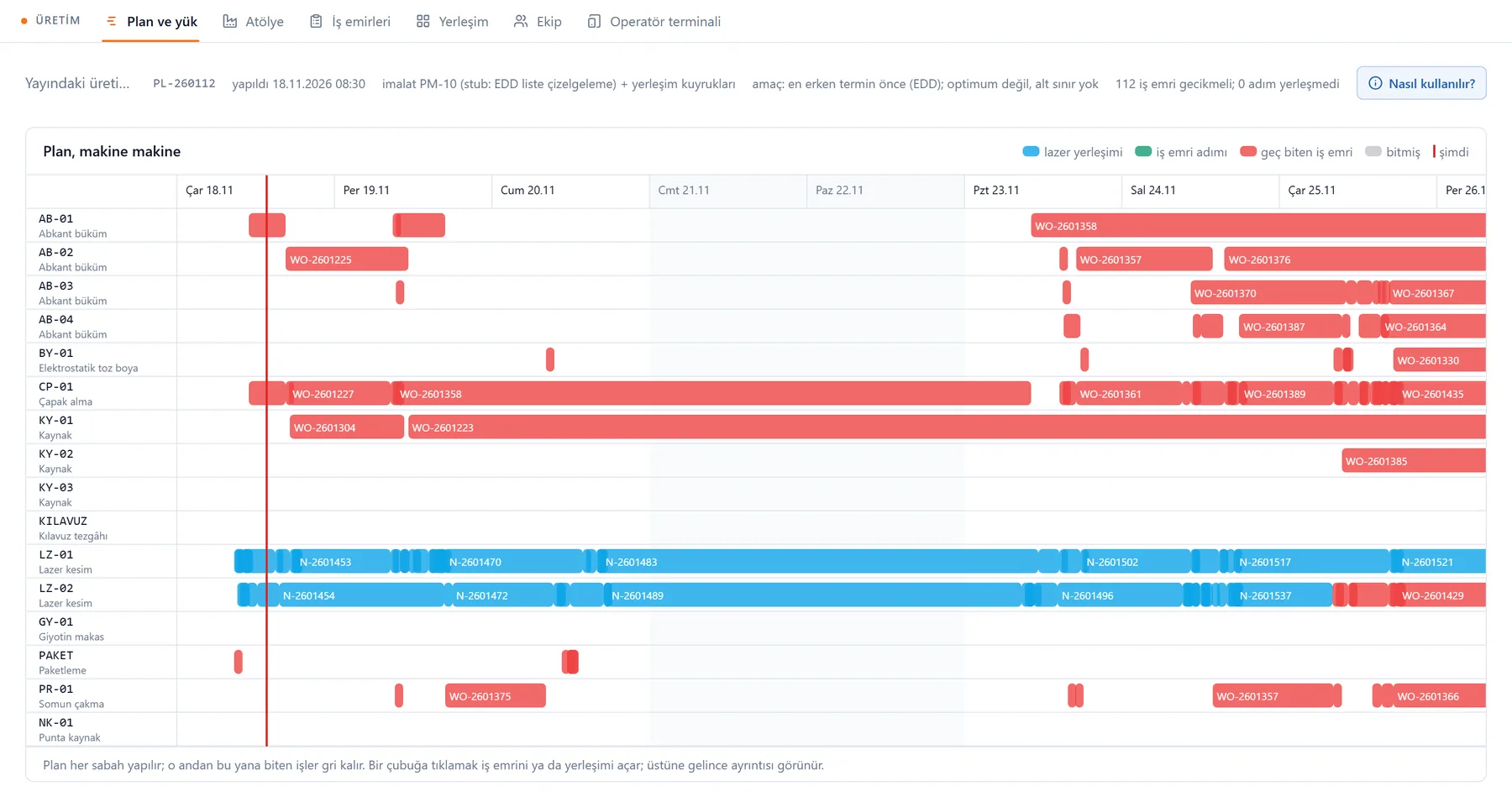
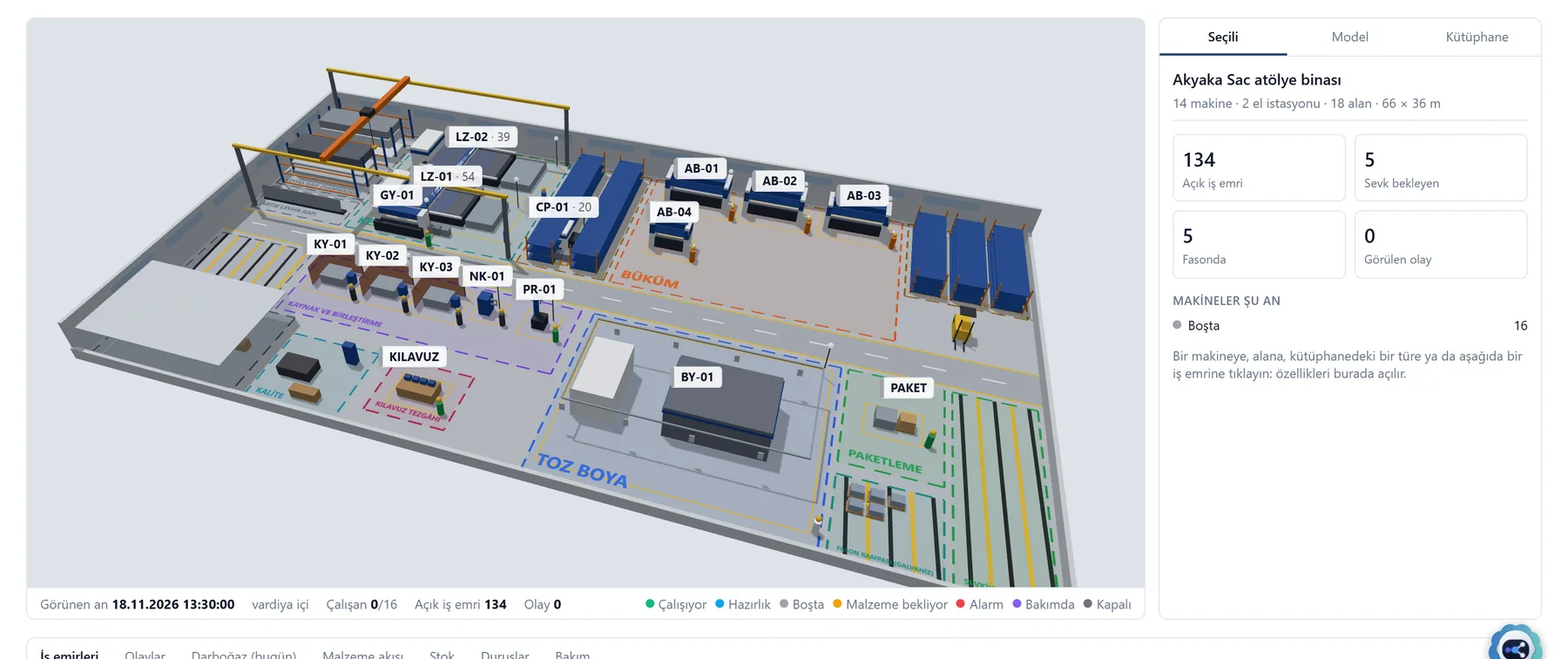
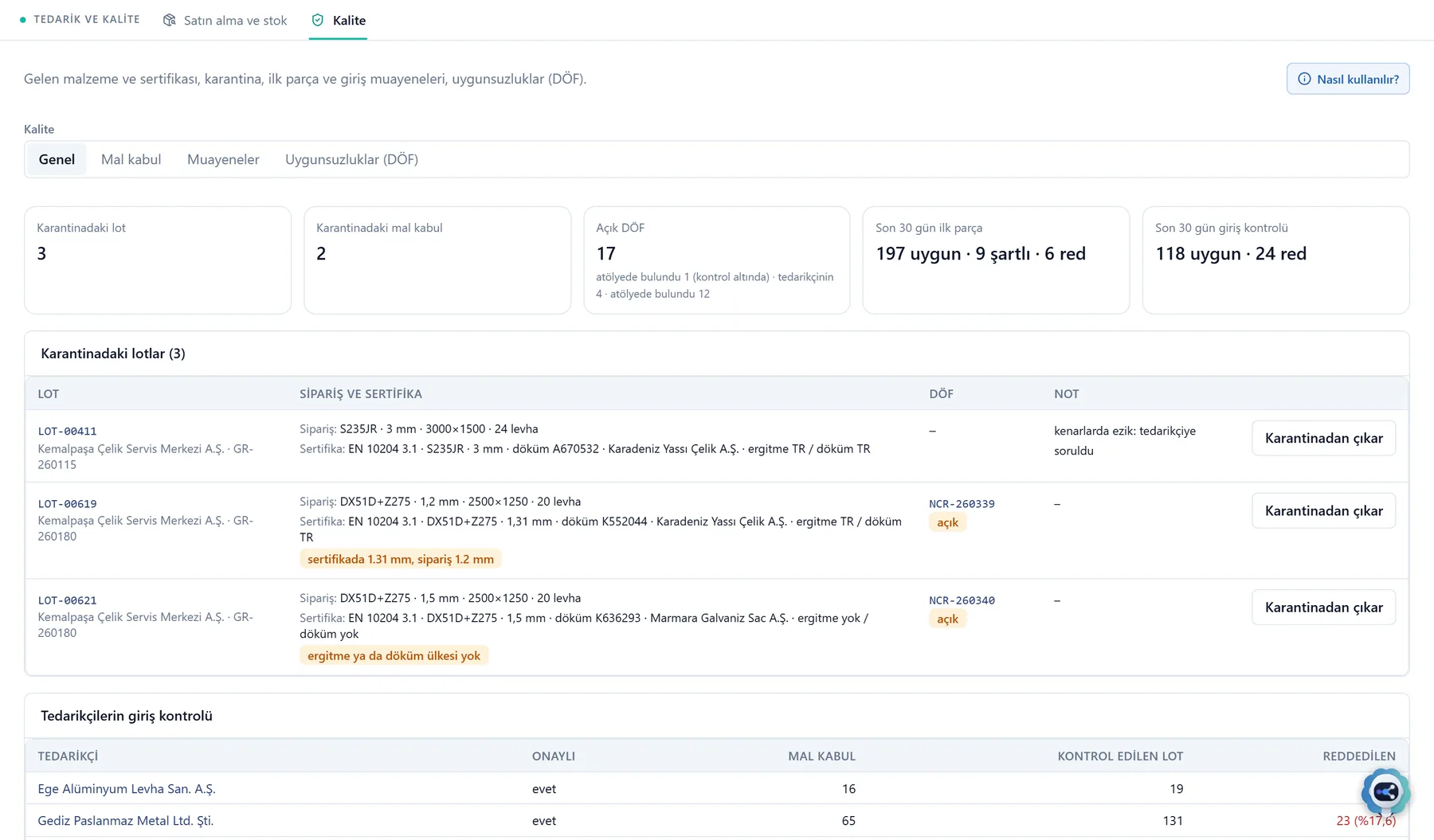
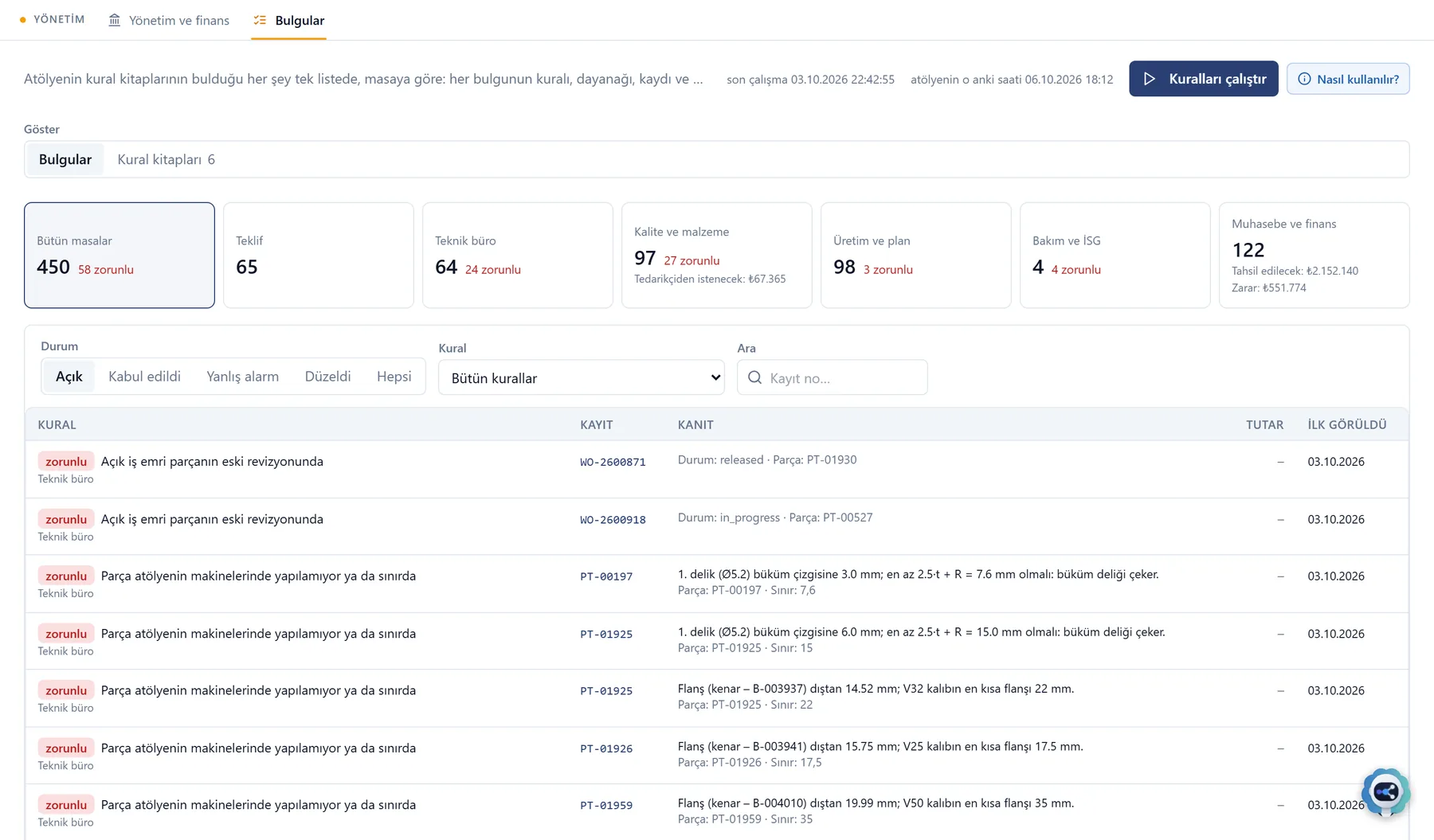
The nine specialists were tested on cases with known answers: 63 skills, 96 accepted cases.
@teklifChecks a request against the customer's files; works out the cost from measured geometry and the shop's dated prices.
 @teknikburo
Measures drawings, DXF and STEP; calculates the flat pattern with the bend table and runs the DFM check.
 @resim
Prepares the production drawing, bend sheet, cutting DXFs and BOM in SOLIDWORKS.
 @sartname
Turns a specification into a compliance matrix and shows nonconforming clauses with page numbers.
 @planlama
Compares the order with the quote and checks whether the requested date fits the shop's load.
 @satinalma
Works out sheet needs and brings supplier quotes to a common basis.
 @malkabul
Compares each lot's certificate with the order and the standard; proposes acceptance, hold or rejection.
 @kalite
Prepares the inspection plan; on a nonconformity, finds the root cause and writes the 8D report.
 @finans
Matches an invoice with the order, goods receipt and weighbridge ticket; puts differences in writing.
Auditing, revenue control and clinical support for private hospitals
It connects read-only to the hospital information system through the 141 standard views the Ministry requires from every system, so the vendor does not matter. It reads MEDULA, e-Rapor, e-Nabız and ÜTS and compares them with the hospital's records. It runs in the hospital's own data centre; patient data does not leave the country.
Parts list · exploded view
Findings, revenue cycle, physician and nurse desks, rosters.
Chief physician, revenue team, physicians, nurses and quality decide.
The Ministry's standard views, read-only.
Read with the hospital's or the physician's own identity.
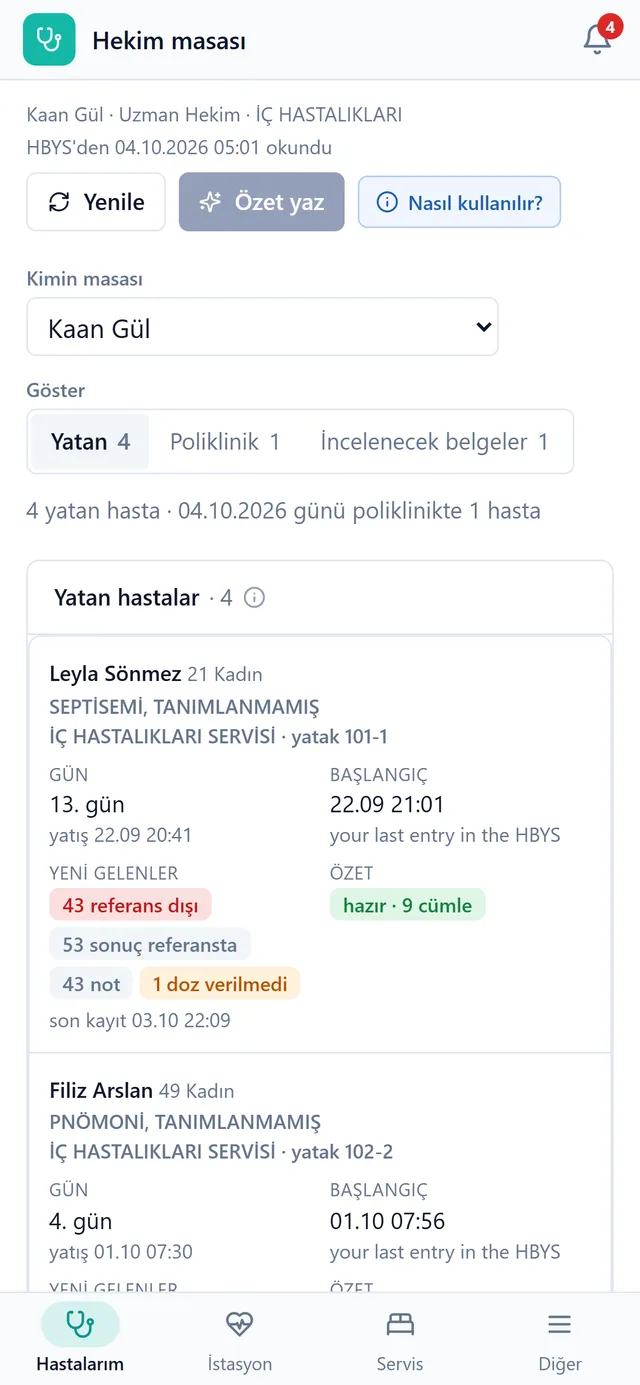
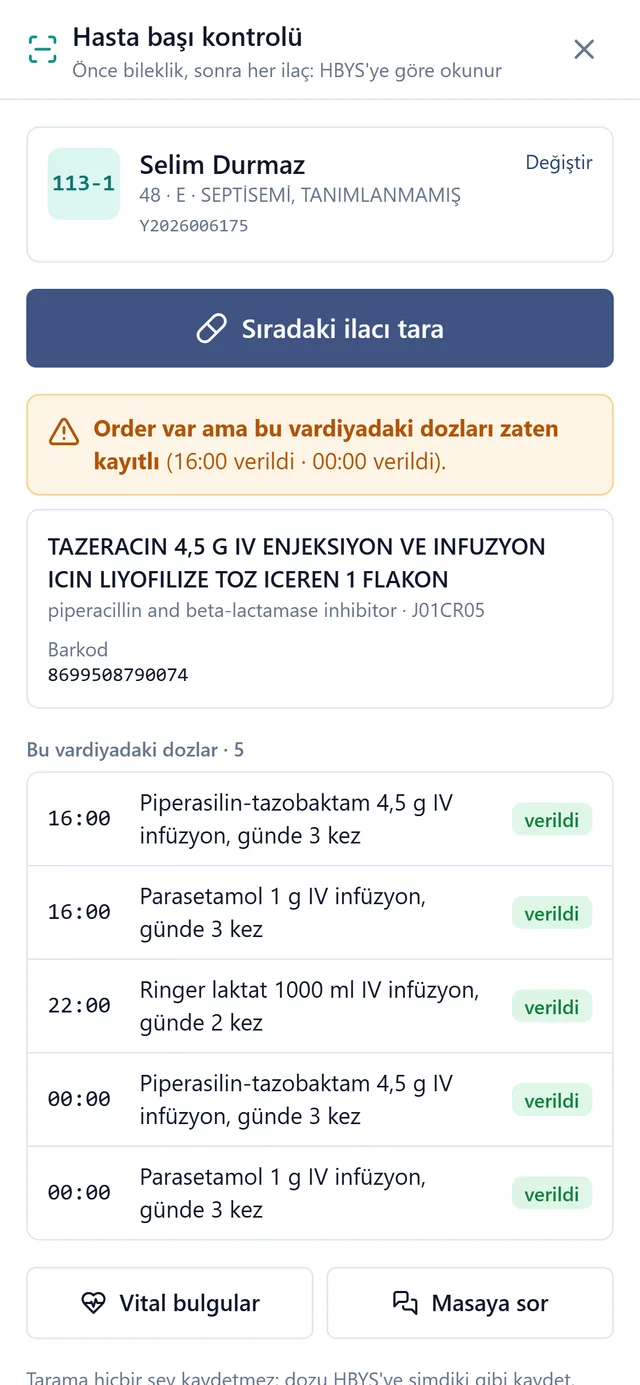
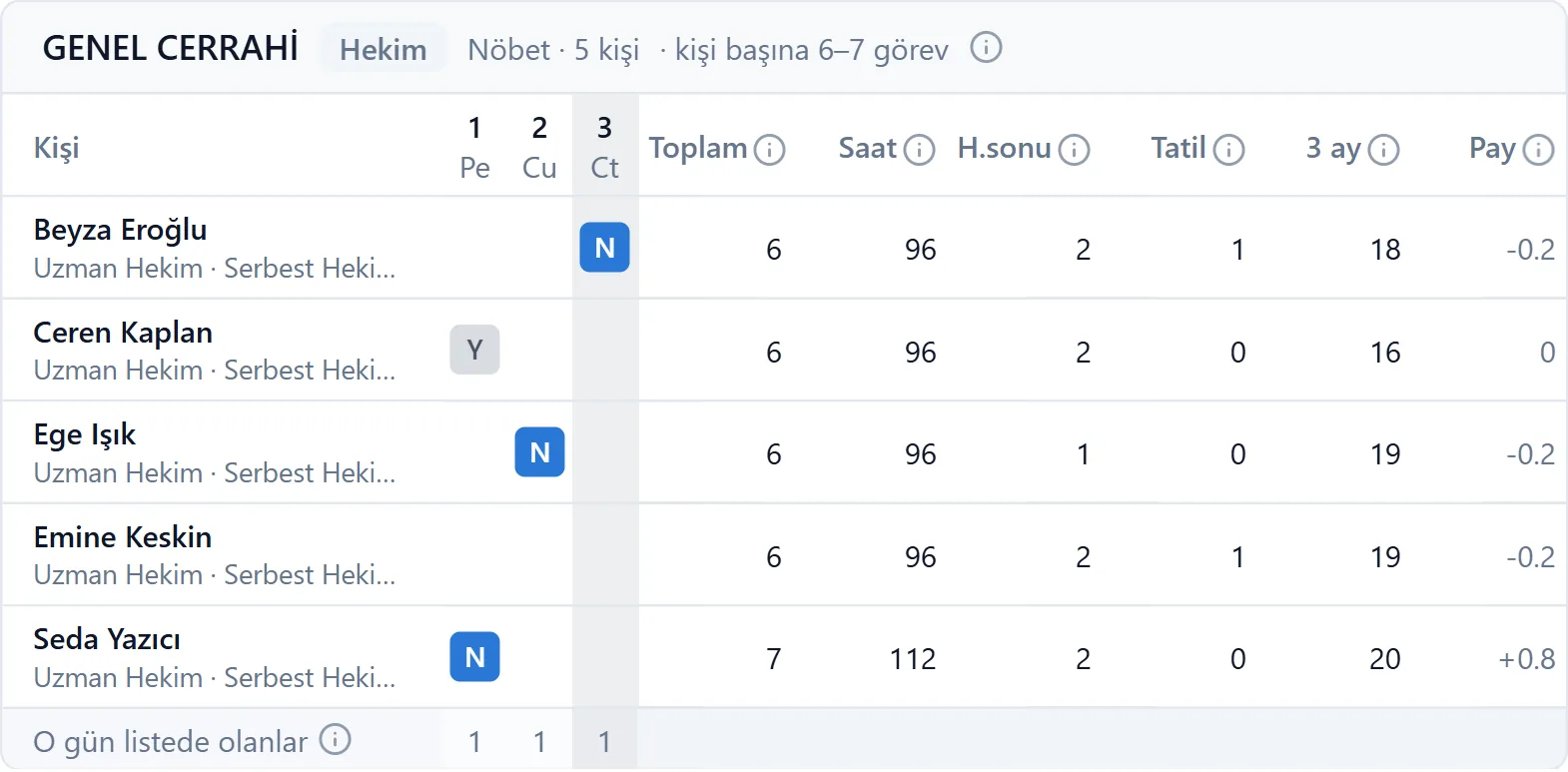
@nobet reached the correct result in 21 of 21 cases, @puantaj in 19 of 19.
 @hekim
Prepares inpatient summaries every morning; answers questions about a file with record addresses.
 @epikriz
Drafts under the quality standard's nine headings; writes to the HIS with the physician's approval.
 @recete
Checks prescriptions and compares drug reports with their status in MEDULA.
 @hemsirelik
Drafts nursing notes and shift handovers from the records.
 @nobet
Builds and audits rosters with 117 rules and 125 sources.
 @puantaj
Calculates on-call pay and overtime to the kuruş.
Documents, bookkeeping and deadlines for accounting offices
It works beside the office's accounting program, Luca, and does not replace it. It collects the documents clients send over WhatsApp, reads and checks them, and drafts the vouchers. Once the office approves, the vouchers are entered in Luca.
Parts list · exploded view
Office, incoming documents, clients, archive and receivables.
The accountant and the team decide; five digital workers prepare.
Every client's every month in one folder.
Luca, WhatsApp, the tax portal, e-mail and bank.
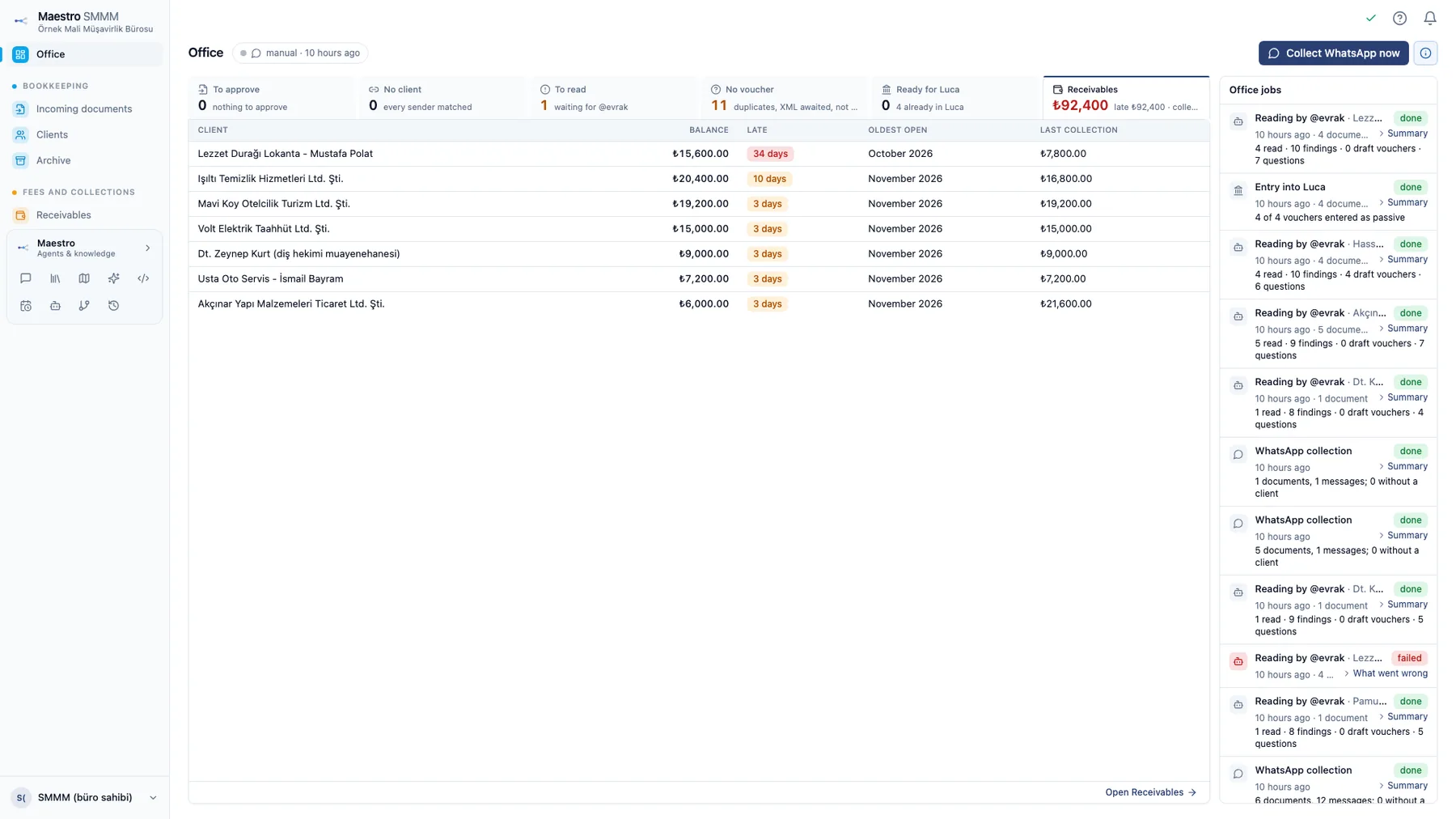
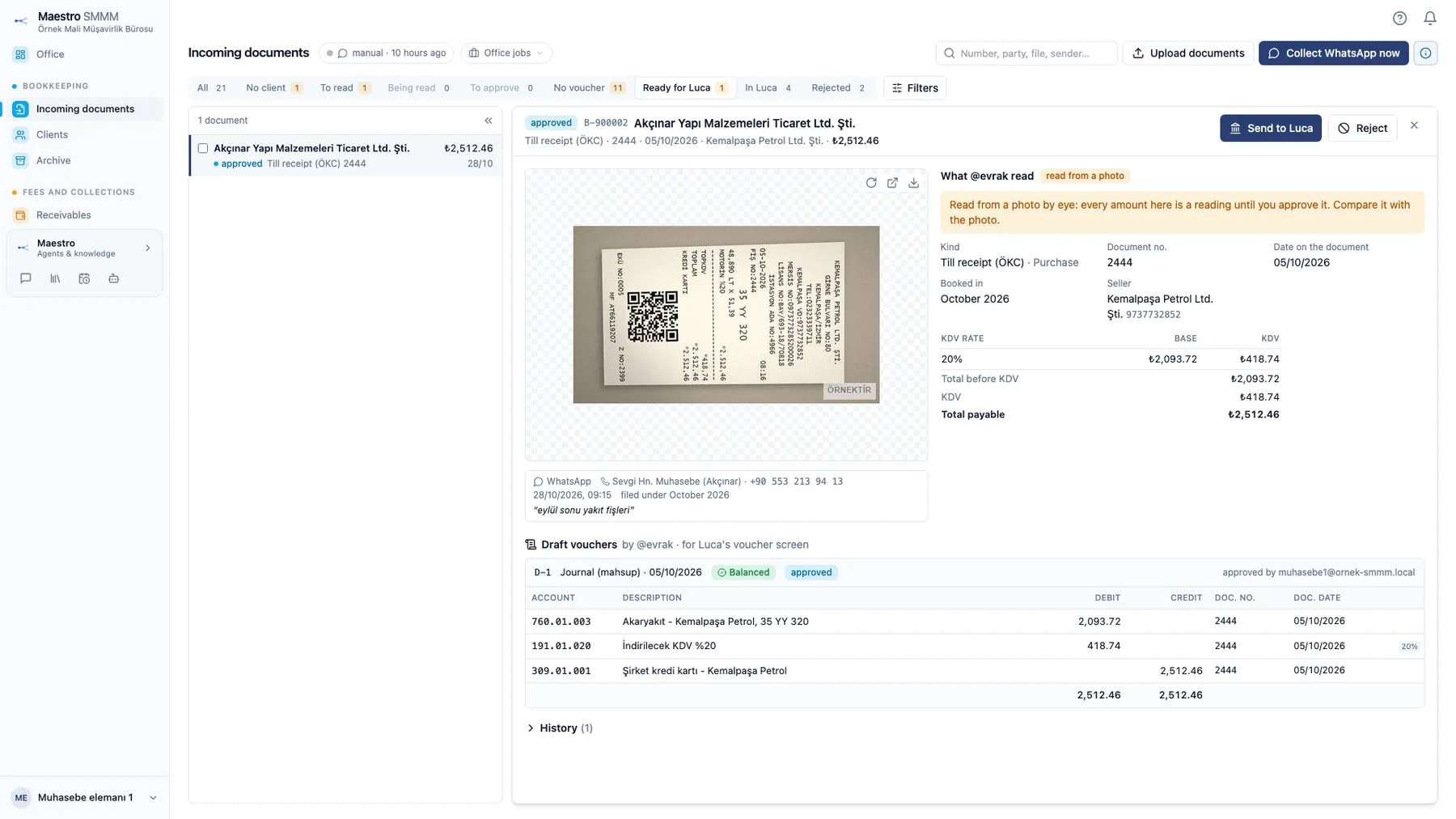
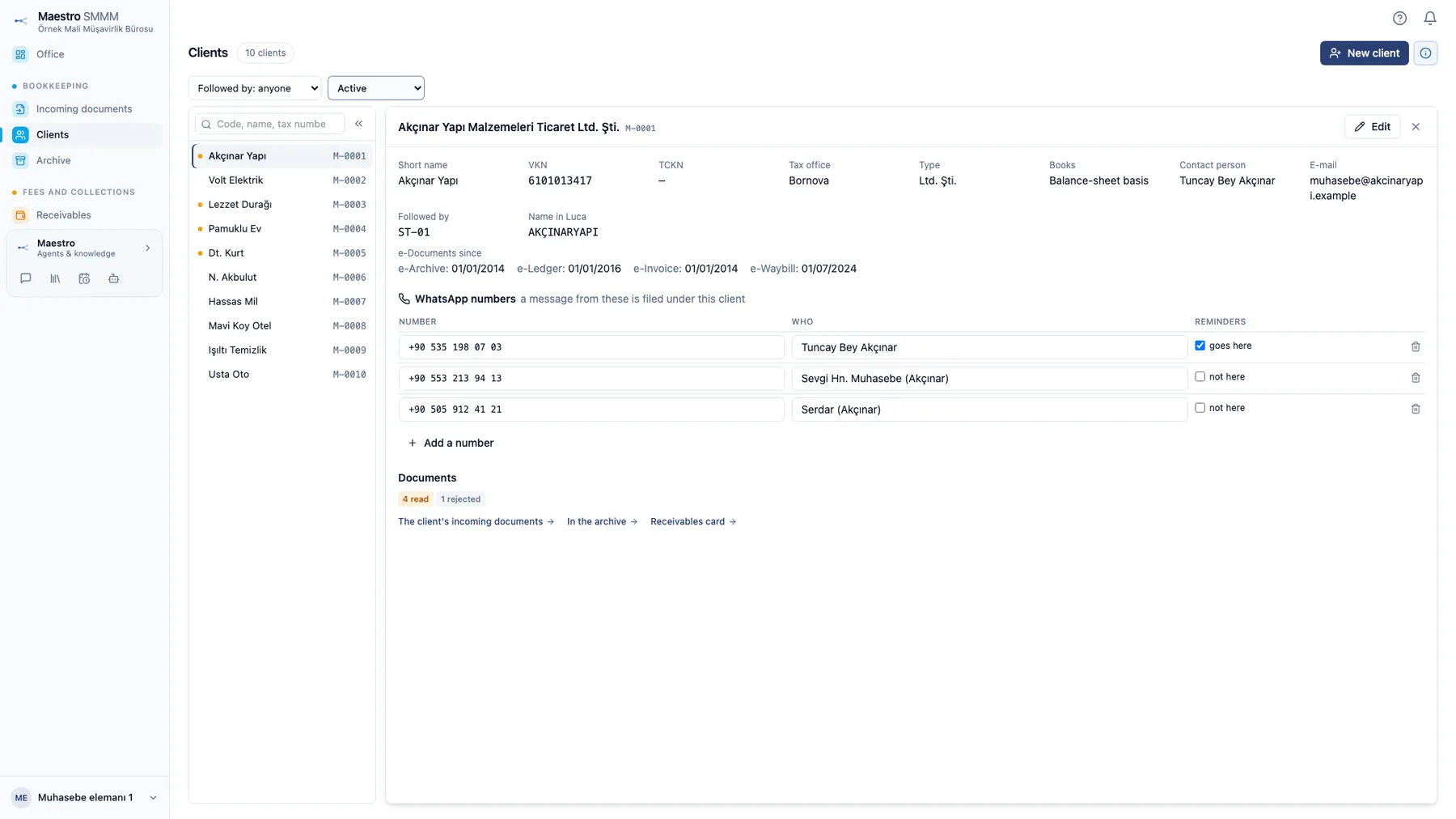
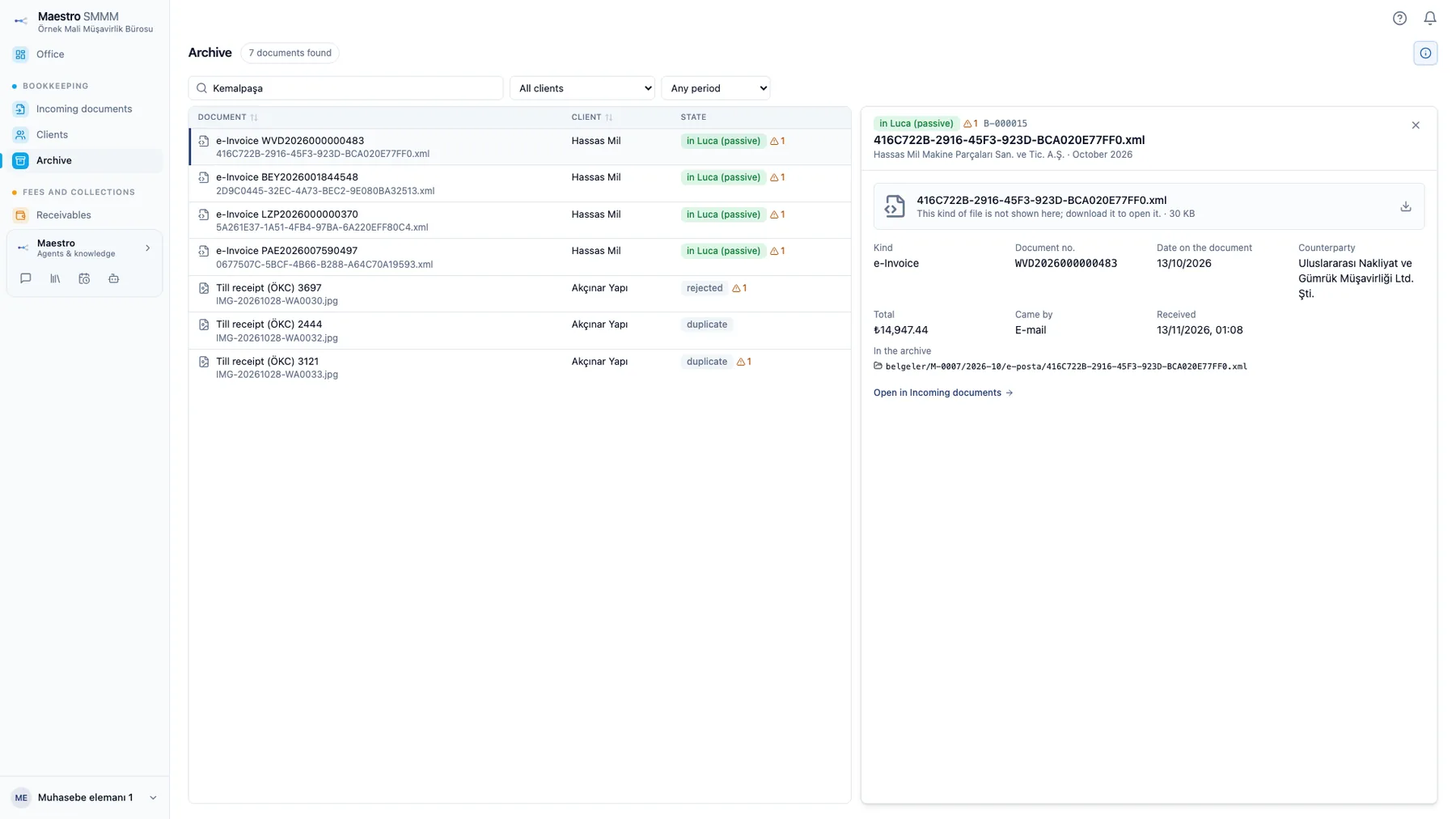
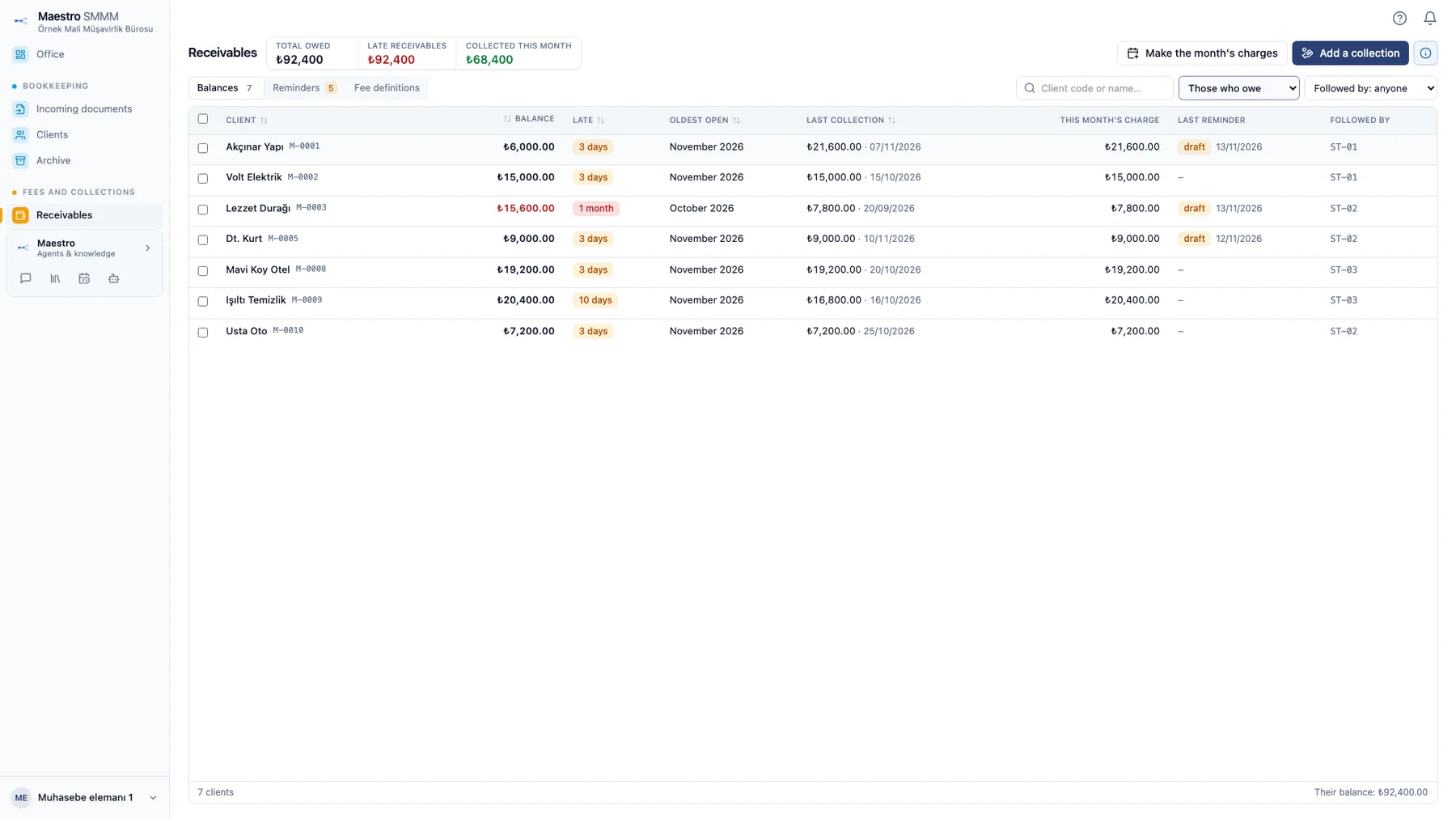
The five specialists were tested on 74 cases across 51 workflows and passed them all. In nine cases our own answer key did not match the law; in all nine the digital worker was right.
 @evrak
Collects and checks the month's documents and drafts vouchers; reconciles bank, card and tax lists with the books.
 @beyanname
Builds VAT, withholding, provisional tax and stamp duty returns; compares them with the books before filing.
 @bordro
Prepares payroll, hires and leavers, missing days; makes sure incentives are not lost.
 @takvim
Keeps every client's deadlines; reschedules them for extensions and holidays.
 @yazi
Reads letters from the tax authority and social security, works out their deadlines and drafts replies.
An engineering assistant that works in CAD software
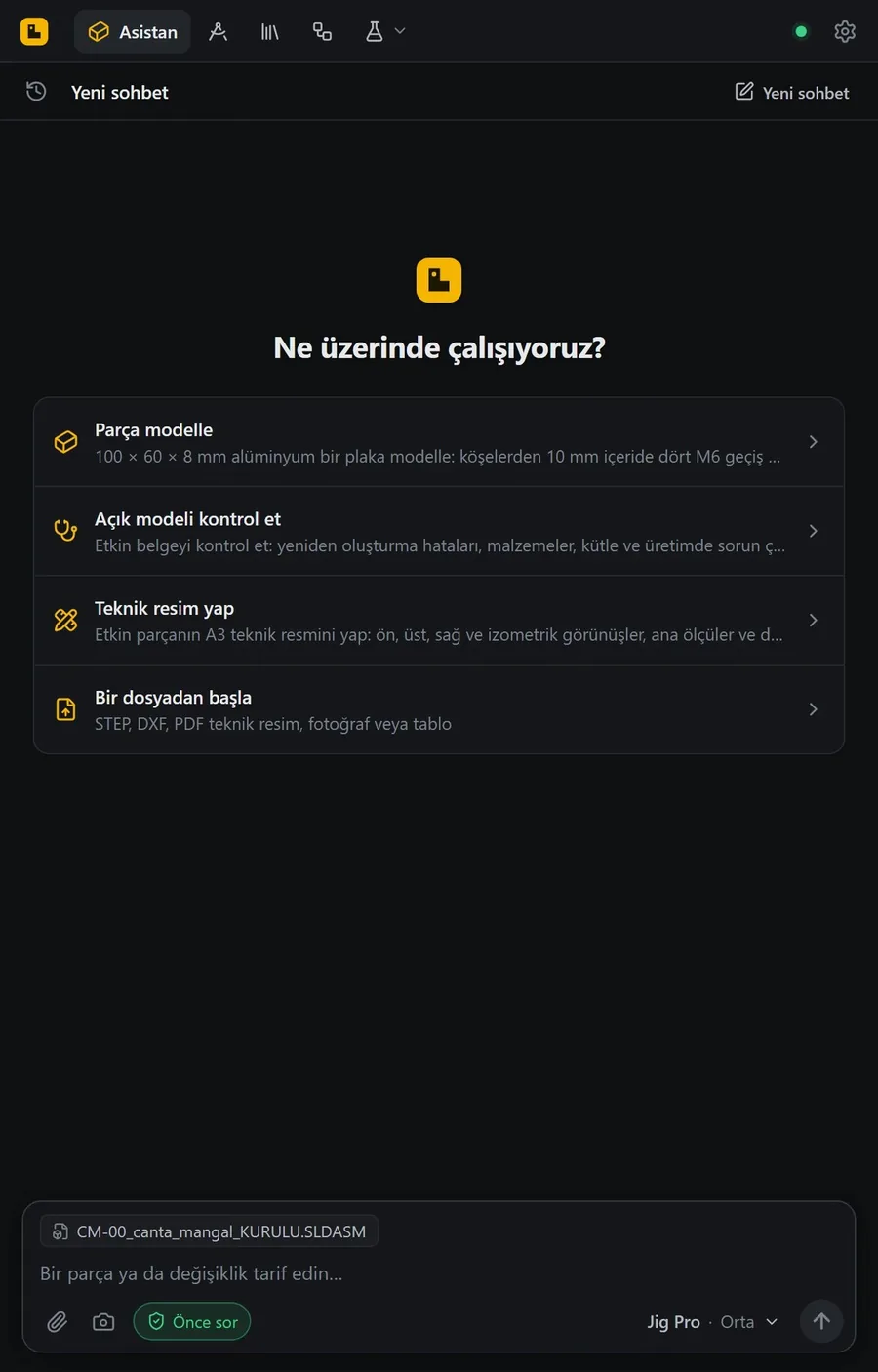
Jig is installed on the engineer's computer and sits beside the open program. The engineer writes a description or drops a file; Jig builds the model, checks it and draws the technical drawing. It works with SOLIDWORKS, AutoCAD and Blender, and the other digital workers do their CAD work through Jig.
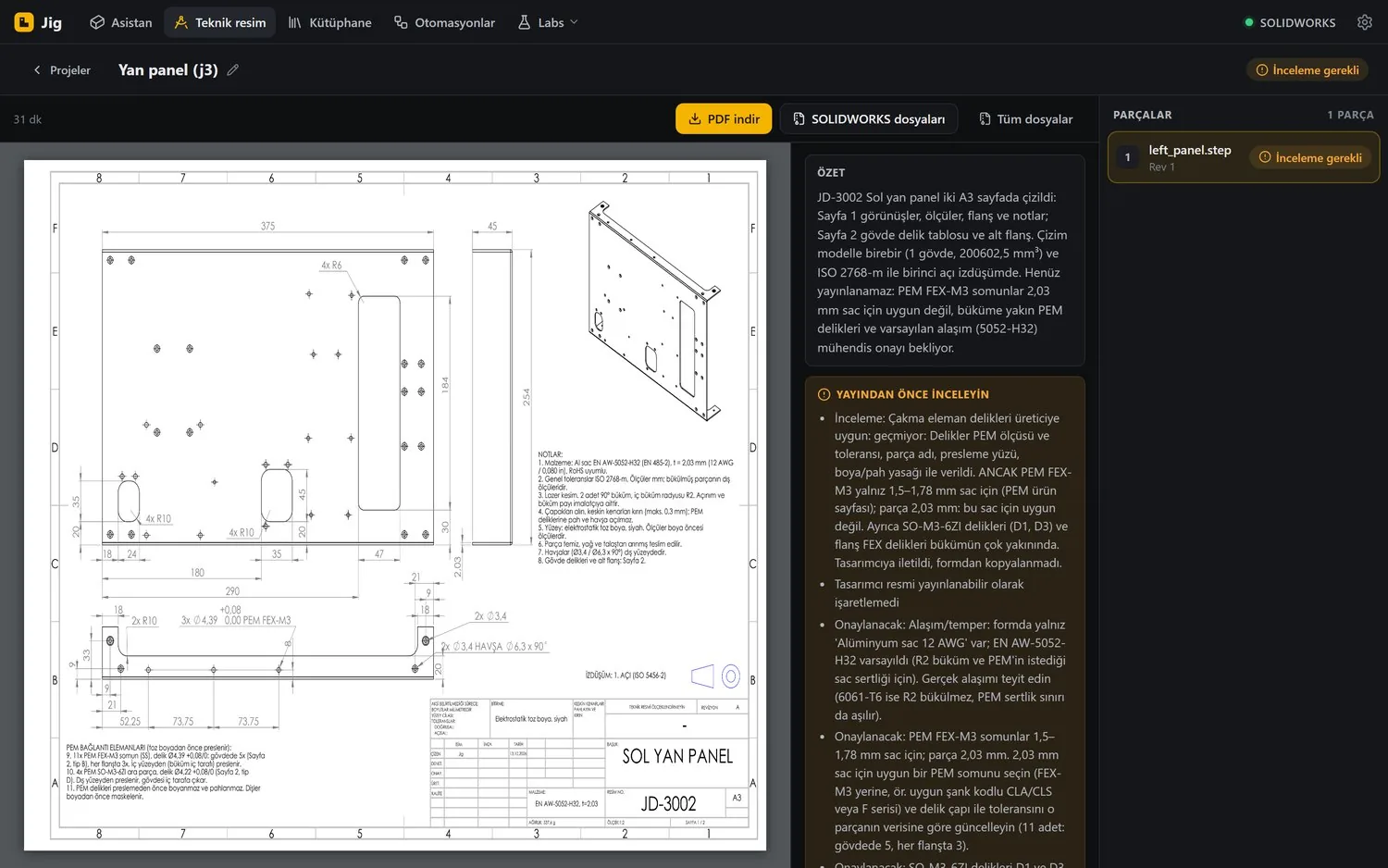
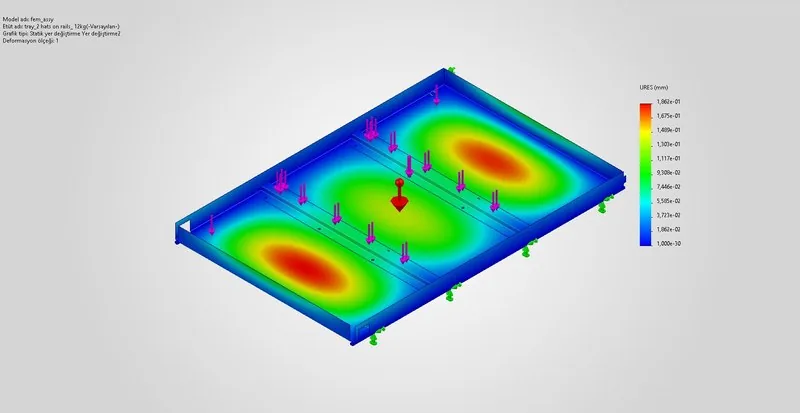
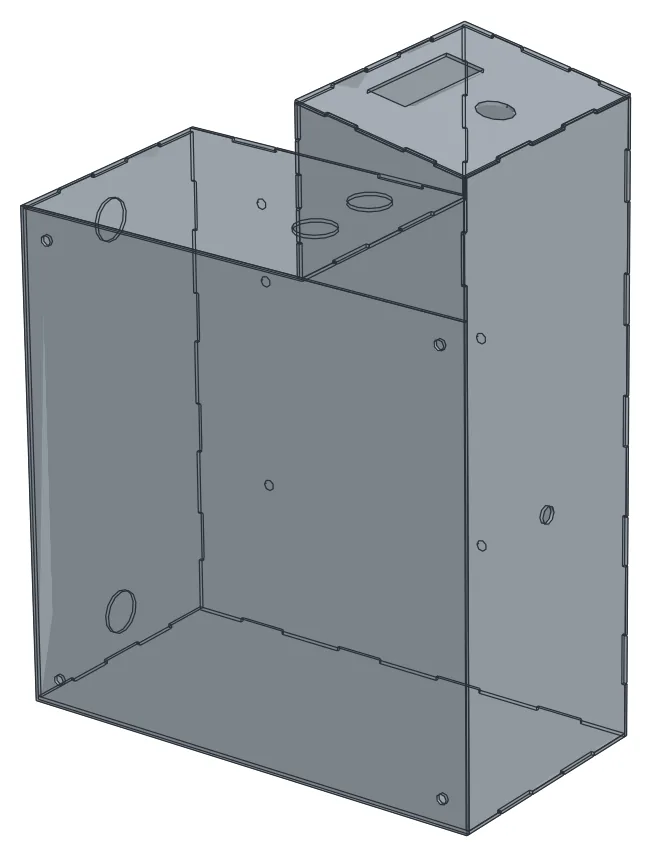
Every change can be undone in one step. Jig measures the model before and after each operation and rolls back a failed one by itself. Delivered files are read back; the original file is never touched.
We build digital workers around each sector's own workflows.
What it can do
Results
| Job | Result | Time |
|---|---|---|
| A wholesaler's October close | 31 findings, draft vouchers, VAT carry-forward, a note to the client | |
| A restaurant's 61 Z reports and card slips | Matched to the kuruş | |
| A jeweller's tax return check | Exemption had dropped to 50%; tax payable up 712,500 TL | |
| A wholesaler's withholding check | No steel withholding applied all year | |
| A request for explanation | 171,519.60 TL difference explained; “partial acceptance” proposed | |
| An intern's social security draft | Errors in 9 of 12 lines | |
| From WhatsApp to Luca | The approved voucher entered in Luca, equal to the kuruş |
What it can do
Results
| Job | Result | Time |
|---|---|---|
| A three-part request for quotation | 2 mm rev B against 1.5 mm rev A, caught before pricing | |
| Order against quote | 6 differences including price, terms, delivery place and quantity | |
| 300 cable trays | Seen to be unbendable before cutting; 1.2 t of sheet saved | |
| A delivery with nine certificates | 2 nonconforming lots quarantined before production | |
| A 7-part hopper sent only as PDF | Modelled and costed; 8 of 10 traps caught | |
| Weekly delivery schedule check | 4 differences in 10 lines; “Confirm” left to the person | |
| A customer revision | Parts per sheet fell from 78 to 72; cost difference worked out |
What it can do
Results
| Job | Result | Time |
|---|---|---|
| Intensive care level check | 17 of 17 faulty lines found, to the kuruş | |
| Monthly rosters for three hospitals | Built in line with every mandatory rule | |
| Billing pre-check | ₺115,908 deduction prevented on one claim | |
| Timesheets and on-call pay | Correct to the kuruş in 19 of 19 |
What it can do
Results
| Job | Result | Time |
|---|---|---|
| 112 emergency health stations, 5 trades | 187 estimate and 822 quantity lines, each placed in the drawing | |
| Family health centre, pre-bid check | ≈ 947 thousand TL of foundation work missing from the list | |
| Industrial estate with 18 shops | 18 doors missing from the quantities: ≈ 237 thousand TL | |
| Kadıköy service building: revised zoning | The brief fits 6 floors; a single basement cannot carry it | |
| Mersinli corner plot: land-for-flats | The 47% share asked for would lose money | |
| Afyon main depot: material approval | An expired product certificate caught | |
| School tender: addendum formwork plan | 282 objects added, 260 deleted, 106 moved |
Giving work to a digital worker is like giving authority to a new employee. You set the authority and you see every step.
Before anything that cannot be undone, such as issuing an invoice, sending an e-mail, deleting a record or making a payment, it asks you first.
Every job is recorded: what was done, which document it relied on, who approved it.
On day one it only reads and reports. As your trust grows, it prepares the work for your approval; later, with your approval, it enters the work in your programs itself.
Passwords stay in a vault the digital worker cannot see. Sign-ins, SMS codes and e-signatures stay with you.
If you prefer, the system runs on your company's own server and your documents do not leave it. Personal data is processed in line with KVKK, Turkey's data protection law.
Your accounting program, ERP and hospital system do not change; the digital worker works inside them.
The shape in our logo is the “glider” from Conway's Game of Life. Every cell on the grid is alive or dead and follows two rules at every step. With these two rules, five cells move across the grid without anyone pushing them; the faint cells behind are the trail they leave. Our digital workers work the same way: they run work on their own under clear rules, and every piece of work leaves a trace.
In a first meeting we listen to how your work flows and work out together which jobs a digital worker can take over.